

PRP Service knows that businesses today need to talk to customers quickly and clearly using apps people already love. In our digital world, nobody likes slow replies, confusing websites, or hard-to-use checkout pages. WhatsApp has grown into much more than just a place to chat. It is now a powerful business tool used by millions of people every day to find information and decide what to buy.
Customers want things to be easy. Instead of visiting many websites or filling out long forms, they prefer to look at products and ask questions through a simple chat. This is why the WhatsApp Catalog API is so helpful. It lets businesses show their full product list right inside a WhatsApp conversation.

The WhatsApp Catalog API is an official tool from WhatsApp that lets businesses create and show digital product lists on the platform. Instead of sending one photo at a time or typing long messages, businesses can show many products in a neat, organized way. Each item can have its own image, price, and details right in the chat.
The WhatsApp Catalog API Documentation is the complete guide that explains how to use this tool. It helps businesses understand how to set up their shop, add items, and talk to customers. Because it is part of the official WhatsApp Business system, it keeps all communication safe and professional. By following this guide, businesses can share products automatically, answer questions faster, and make buying simpler for everyone.
Using this documentation gives businesses a clear map for building and managing their shop on WhatsApp. Good instructions mean fewer mistakes and a system that works perfectly every time.

- Better Shopping Experience: Customers can see everything you offer without leaving the chat. It’s a comfortable and simple way for them to shop.
- Instant Sharing: You can send product links and images immediately during a chat. This saves time and gives customers the facts they need right away.
- More Sales: When it is easy for people to see products and ask questions, they are more likely to buy. This helps turn shoppers into happy customers.
- Live Updates: You can change prices or stock levels instantly. This ensures customers always see the right information and are never disappointed.
The documentation explains all the features needed to run a smooth digital shop. It provides easy steps to help businesses get the best results.
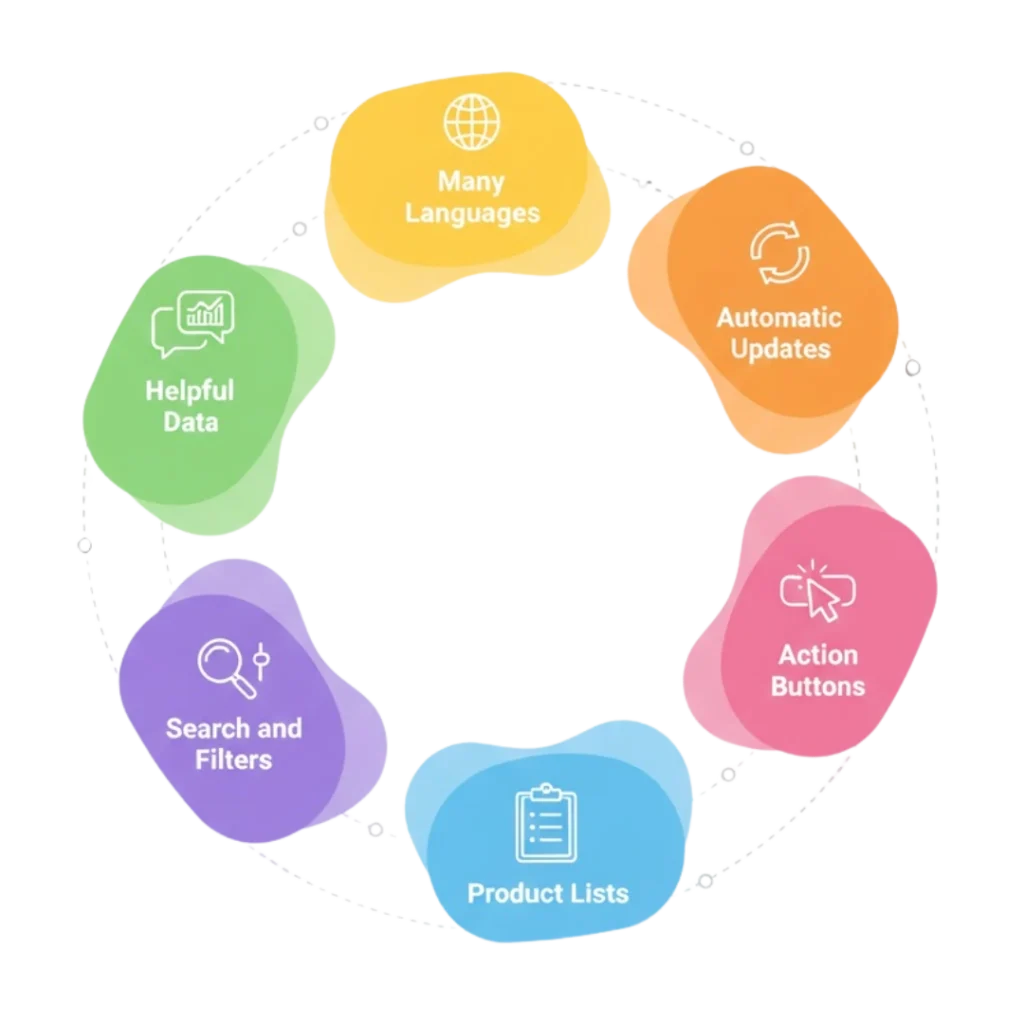
- Product Lists: Add everything a customer needs to know—name, description, photos, price, and if the item is in stock.
- Action Buttons: Use buttons like “Buy Now” or “Add to Cart” so customers can take action quickly right from the chat.
- Search and Filters: Customers can quickly find what they want by searching or looking through specific categories.
- Automatic Updates: Your catalog can connect to your inventory system, so your stock levels stay accurate automatically.
- Many Languages: You can show product details in different languages to help customers from all over the world.
- Helpful Data: Track which products are popular and how customers interact with your shop to help you grow.
WhatsApp Catalog API Documentation is useful for many industries that need to show products clearly and communicate with customers quickly. Since WhatsApp is already a familiar platform for most people, businesses across different sectors use catalogs to share product details, answer questions instantly, and simplify the buying process.

E-commerce
Showcase products, share offers, and enable quick purchases directly in WhatsApp chats.

Retail
Brands use it to show new arrivals and seasonal sales to their customers instantly.

Health
Pharmacies and wellness centers use it to share health products and service packages easily.

Food and Drink
Share daily specials, combos, and promotions instantly with customers via WhatsApp chats.

Real Estate
Agents can show photos and prices of homes, making it easy for buyers to browse.

Travel
Share room options, packages, and travel deals directly with interested clients in chat.
Choosing the right partner for WhatsApp Catalog API integration can make a big difference in how smoothly your catalog works. PRP Service understands both the technical side of the API and the real needs of businesses.

- Expert Setup: We connect the API to your current systems so everything stays updated in real time.
- Custom Design: We build your catalog based on your specific products and the people you want to reach.
- Growth and Speed: We automate the hard work so your business can grow without needing more staff to manage the chat.
- Safety First: We follow all of WhatsApp’s rules to keep your business and your customer data safe.
- Total Support: Our team helps you from the very first day and stays with you to make sure your shop is always doing its best.
The WhatsApp Catalog API is a must-have for businesses that want to talk to customers faster and sell more. By showing your products inside WhatsApp, you make buying simple and create a much better experience for your users.
With PRP Service, managing your WhatsApp Catalog is easy, safe, and effective. Our skills help your business connect with more people and grow your income. Start using the WhatsApp Catalog API today and change the way your customers find and buy what you offer.
“Learn how to set up, manage, and optimize your WhatsApp product catalog easily with PRP Service. Quick, clear, and hassle-free guidance for businesses.”
WhatsApp Catalog API Documentation is a detailed guide that explains how businesses can create, manage, and display product catalogs on WhatsApp. It helps developers and businesses understand the setup process, features, and best practices for using the WhatsApp Catalog API smoothly.
This documentation is useful for businesses, developers, and solution providers who want to showcase products on WhatsApp. It is ideal for e-commerce stores, retailers, restaurants, healthcare providers, real estate companies, and any business that sells products or services through WhatsApp.
Businesses can display product names, images, descriptions, prices, availability, and product IDs. This allows customers to browse complete product details directly inside WhatsApp chats without switching to another platform.
The API makes shopping simple and fast. Customers can view products, ask questions, and take action within the same chat. This reduces waiting time, avoids confusion, and creates a smooth, conversational buying experience.
Following the documentation ensures proper integration, fewer technical issues, and compliance with WhatsApp guidelines. It helps businesses use all features correctly, keep catalogs updated, and deliver a professional and reliable experience to customers.