


Manage Every Customer Journey in One Place.
CES brings lead management, customer management, follow-ups, WhatsApp, SMS, RCS campaigns, invoicing, payments and sales reporting together in one simple business platform.
Get a Free CES Demo
Tell us about your business and our team will get in touch.
What is Customer Engagement Suite?
CES is designed for businesses that want to keep customer data, sales activity, communication and follow-ups connected instead of managing everything across spreadsheets and separate tools.
One customer view
Keep leads, customers, notes, tasks, communication, invoices and payment information connected.
Built for sales teams
Give every salesperson an individual login while keeping business data under company control.
Engagement built in
Connect customer communication with WhatsApp, SMS and RCS campaign workflows.
Why businesses need CES
When leads, follow-ups, messaging and billing are handled separately, important information can easily get missed.
Lost enquiries
New enquiries can be forgotten when follow-ups depend on memory, spreadsheets or scattered notes.
Limited owner visibility
Owners need a quick view of lead activity, stages, tasks and sales performance.
Salesperson dependency
Company history stays accessible even when a salesperson changes or leaves.
Manual messaging
Campaigns can be managed from one place instead of sending messages individually.
Disconnected billing
Customer, invoice and payment information can stay linked within the same workflow.
Scattered data
Bring essential customer and sales information into a centralized business system.
Explore CES, module by module
Below, the actual CES panel screens are shown separately. The explanatory copy is outside the screenshots, so the UI remains clean and easy to understand.
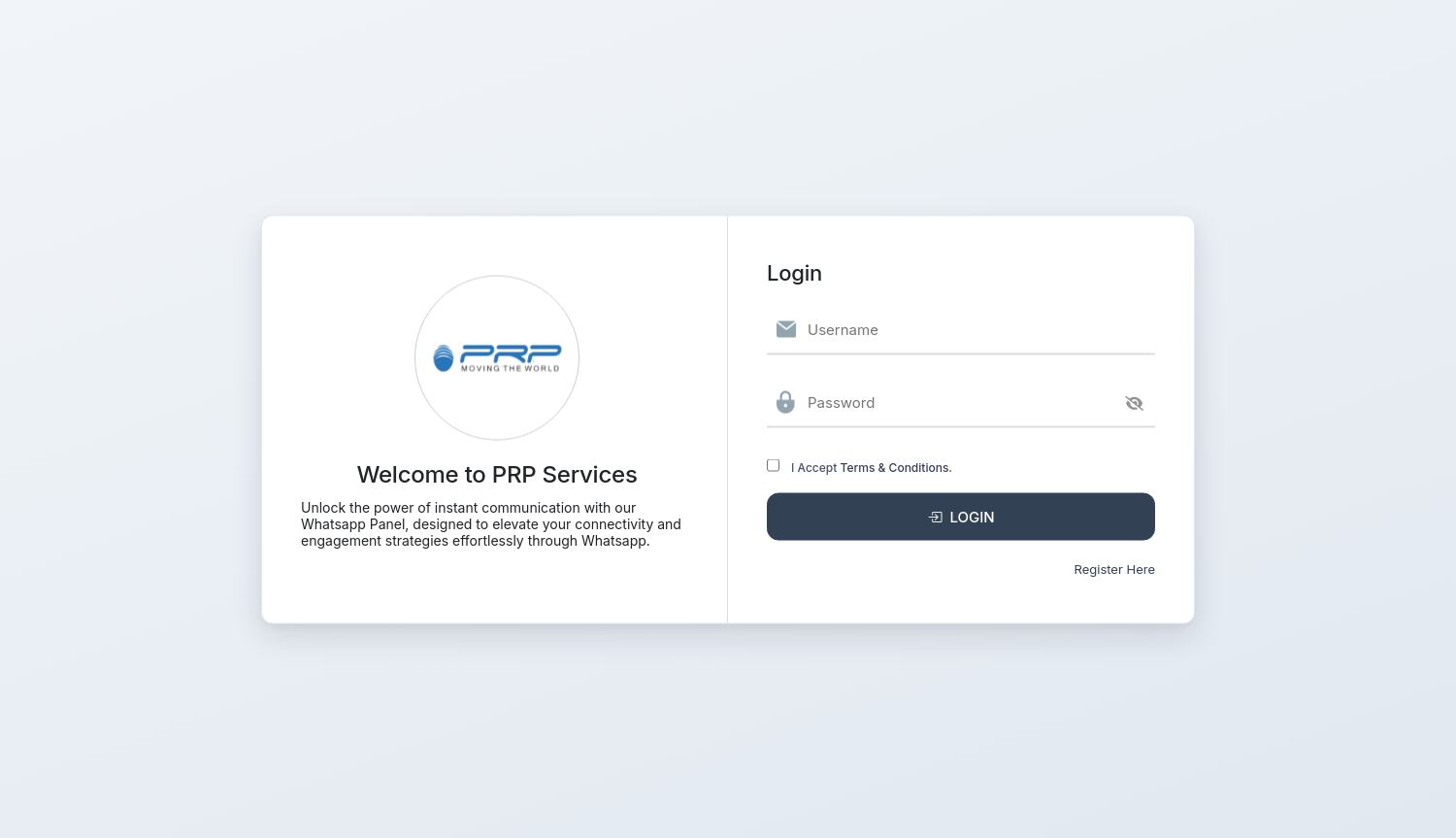
Individual access for every user
Give each team member their own CES login. Users can access the web panel without installing desktop software.
- Individual username and password
- Browser-based access
- Admin-controlled user access
See the business at a glance
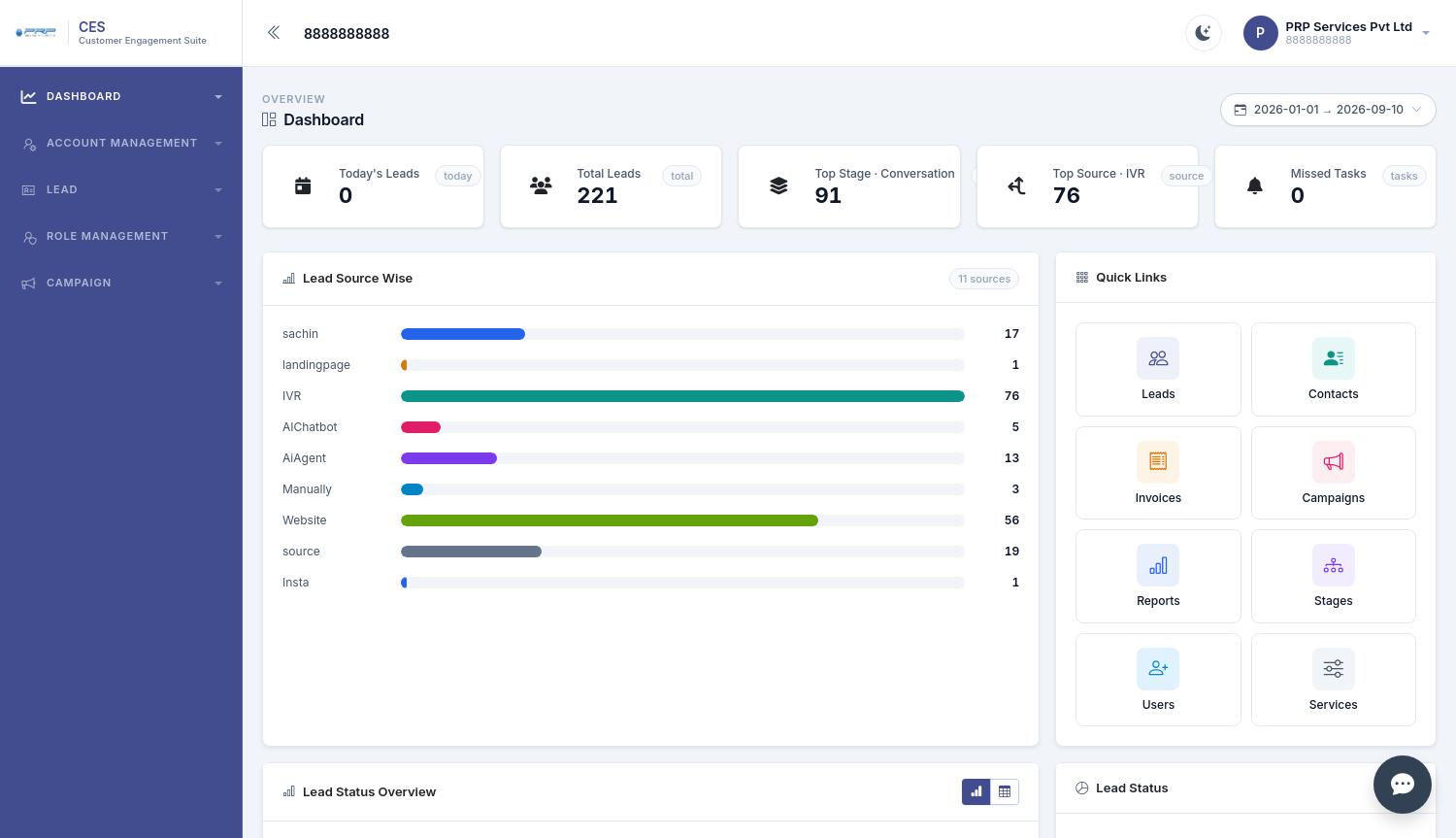
The dashboard brings important sales activity into one view, helping owners quickly understand leads, sources, stages and pending tasks.
- Today's and total leads
- Top stage and lead source
- Missed and upcoming tasks
- Quick links to major modules
- Date-based reporting view
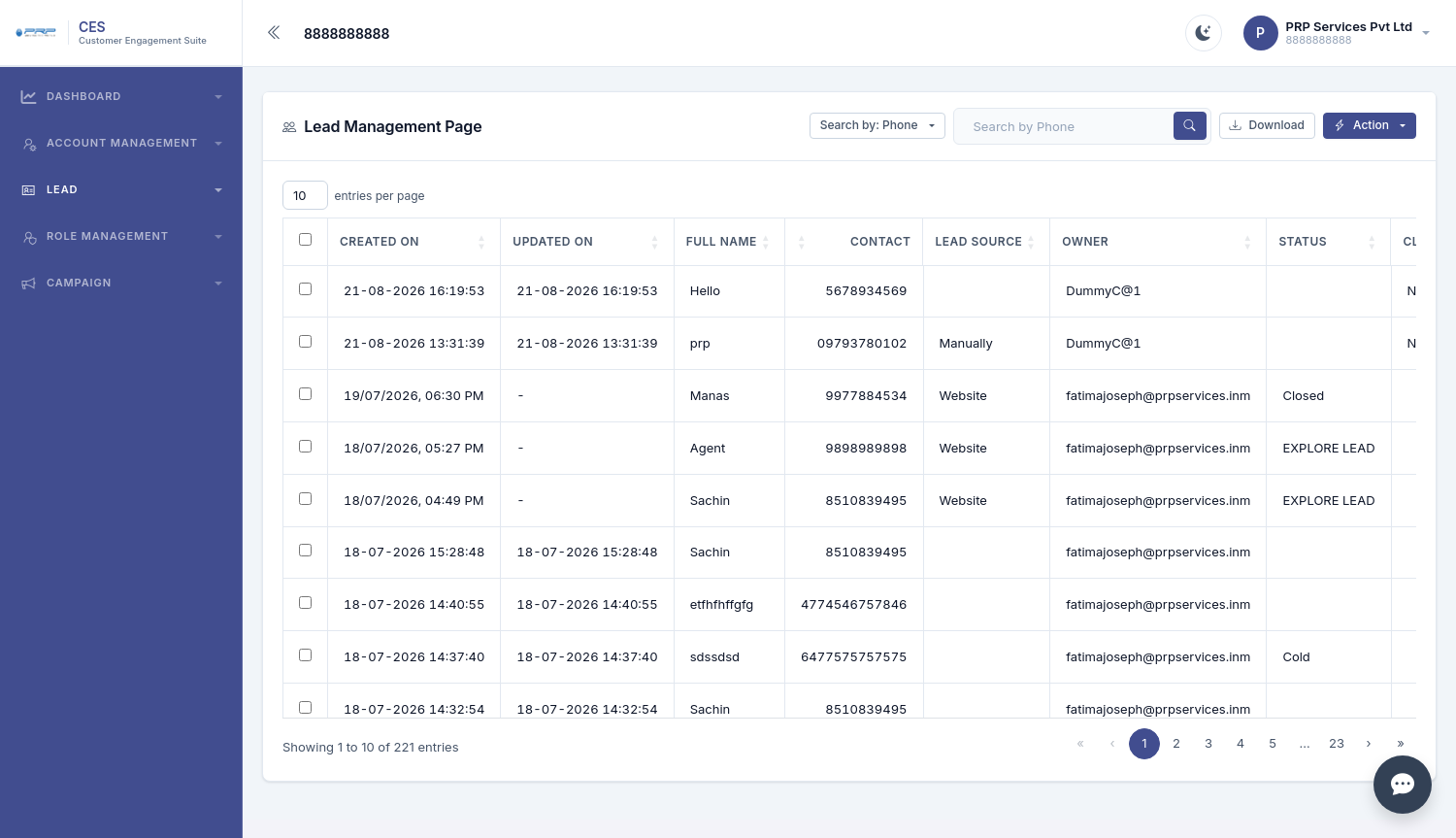
Keep every enquiry moving
CES stores the complete lead journey from first enquiry through follow-up and conversion.
- Search and download leads
- Custom stages and status
- Popup notifications for new leads
- Notes, history and timeline
- Tasks and reminders
- Bulk upload and lead transfer
- Custom fields and phone masking
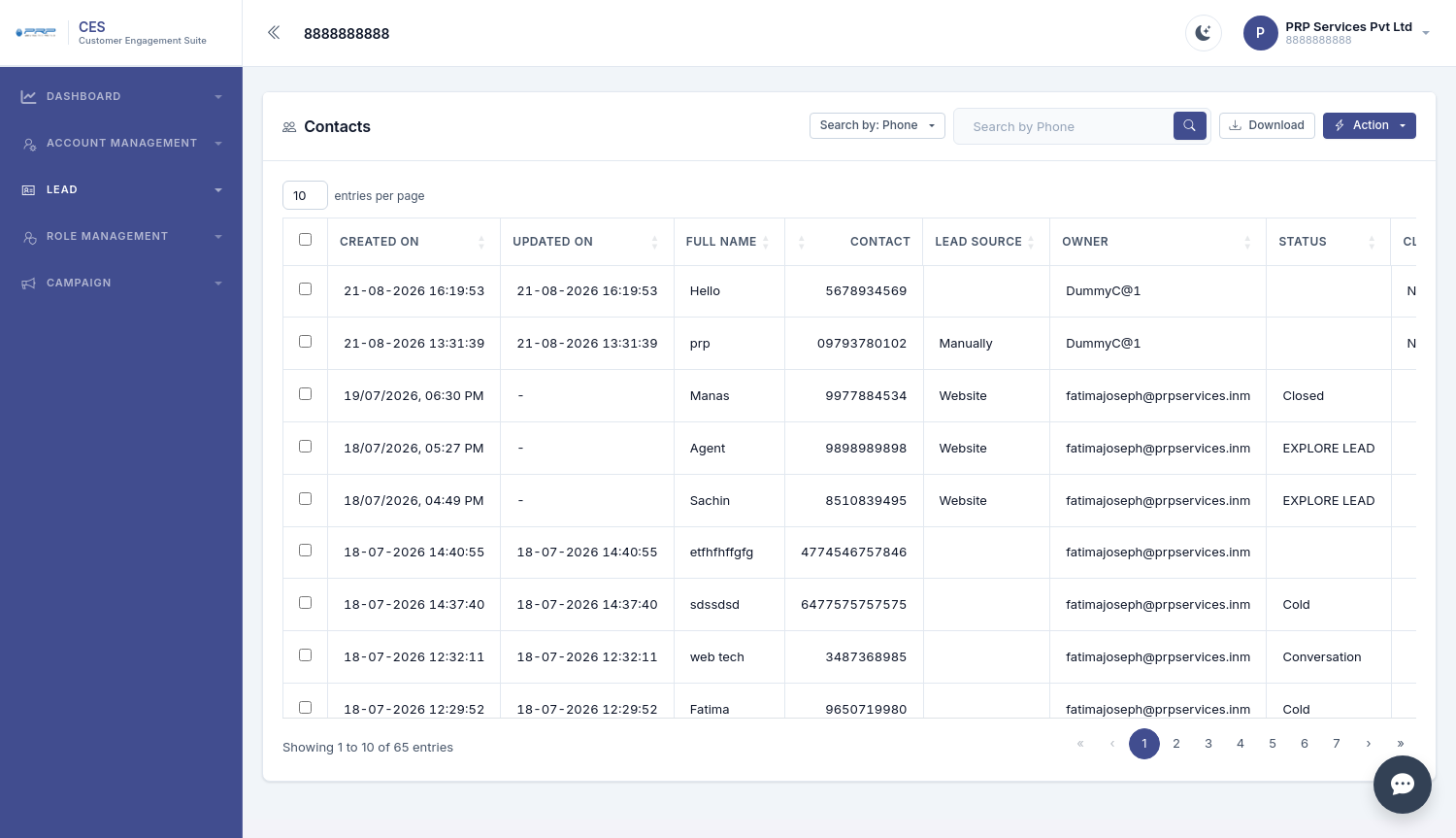
Convert a lead into a customer faster
Move lead information into the customer workflow without repeatedly entering the same details.
- Search and filter contacts
- Create Customer from a lead
- Existing details can flow into the customer record
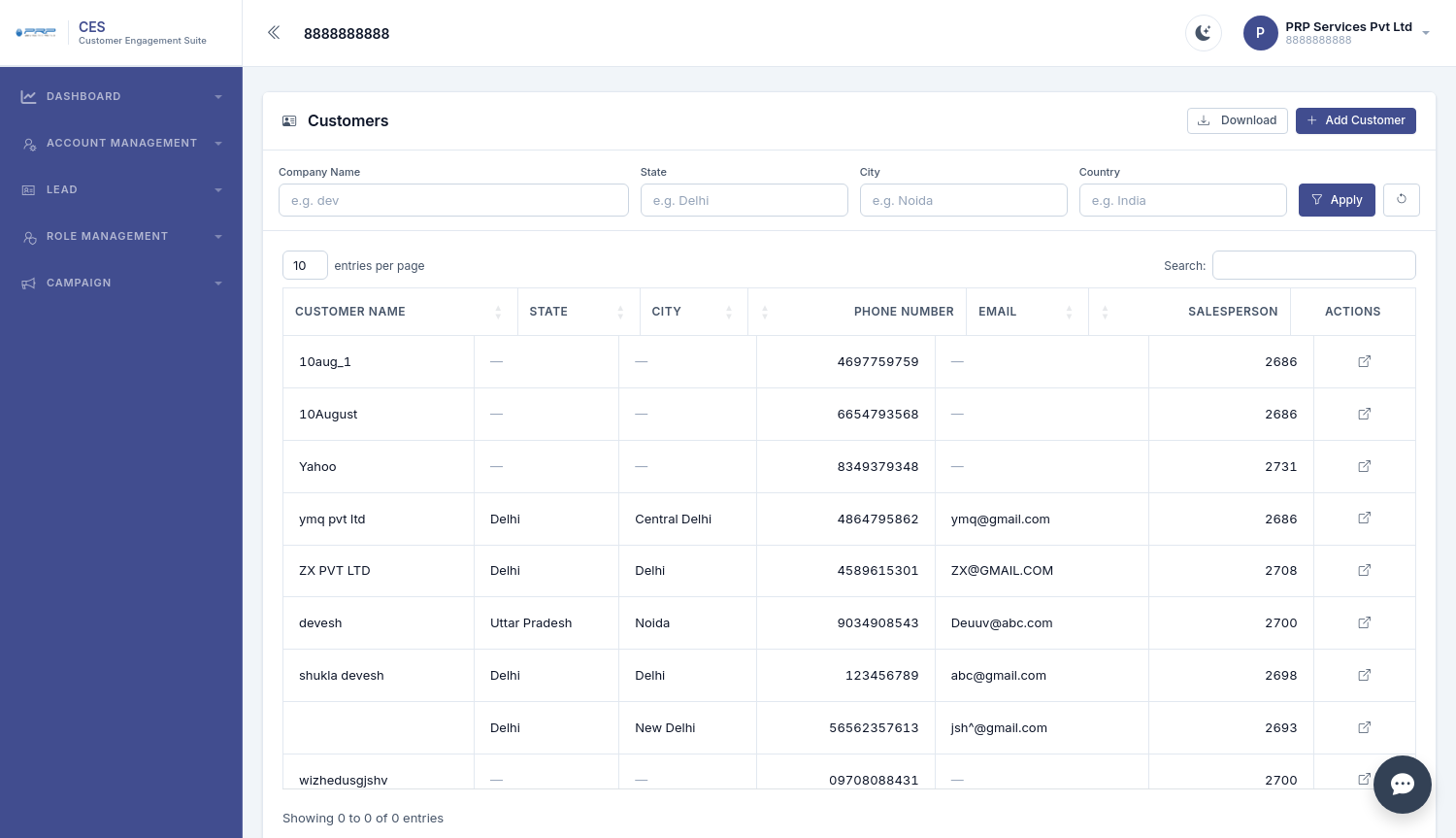
A complete view of every customer
Customer records keep important business information together so teams can access the right context during sales and support.
- Company and contact information
- Billing and shipping addresses
- Salesperson and support head
- New, Renew and Cross Sale tracking
- Invoices and payments inside the customer record
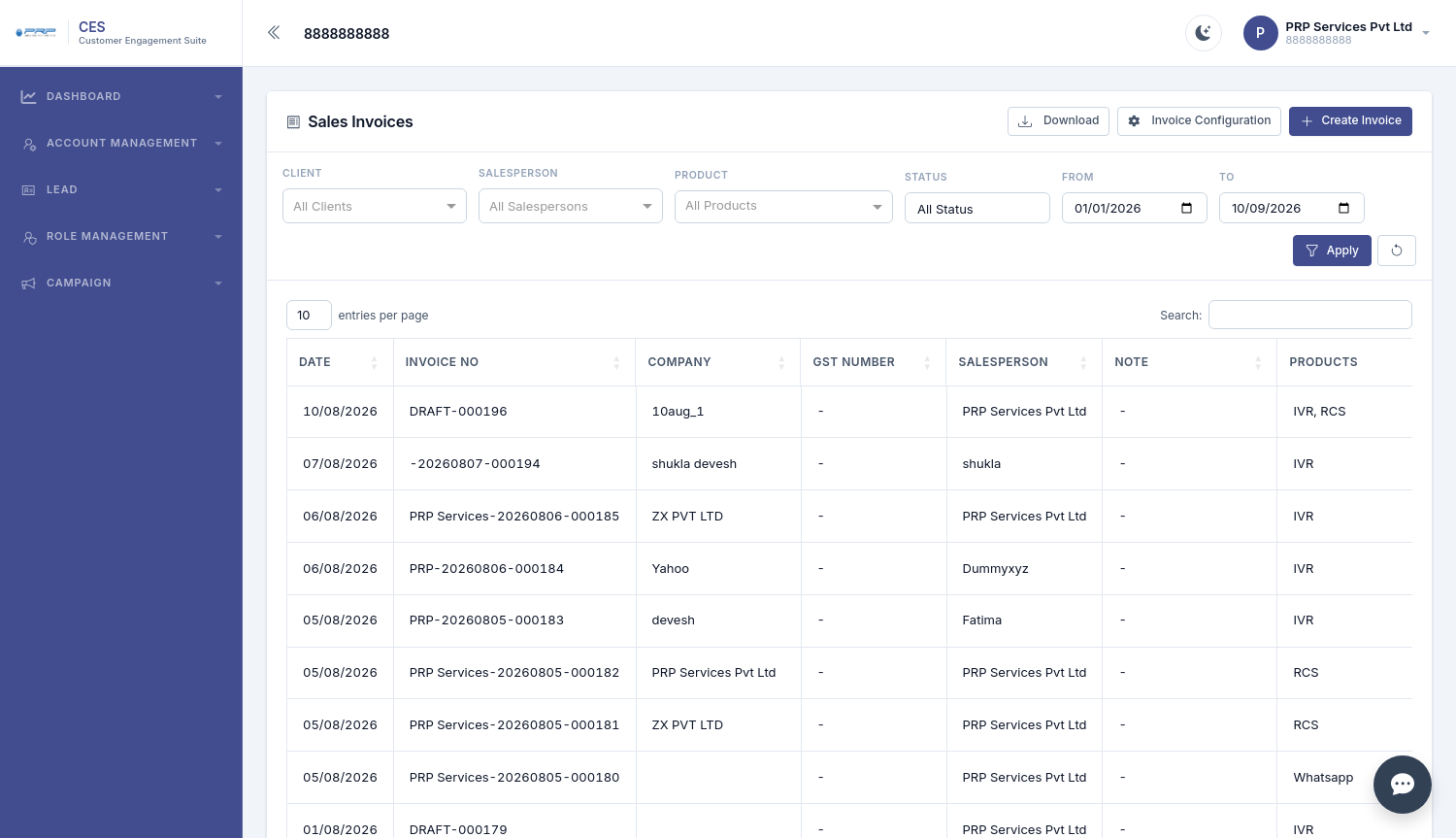
Connect sales with billing
Create invoices from customer and product information while keeping invoice status and payment records accessible.
- Customer and product selection
- GST and discount calculation
- Automatic invoice numbering
- Print and PDF options
- Draft → Submit → Approved workflow
- Receipt vouchers and bank credit reporting
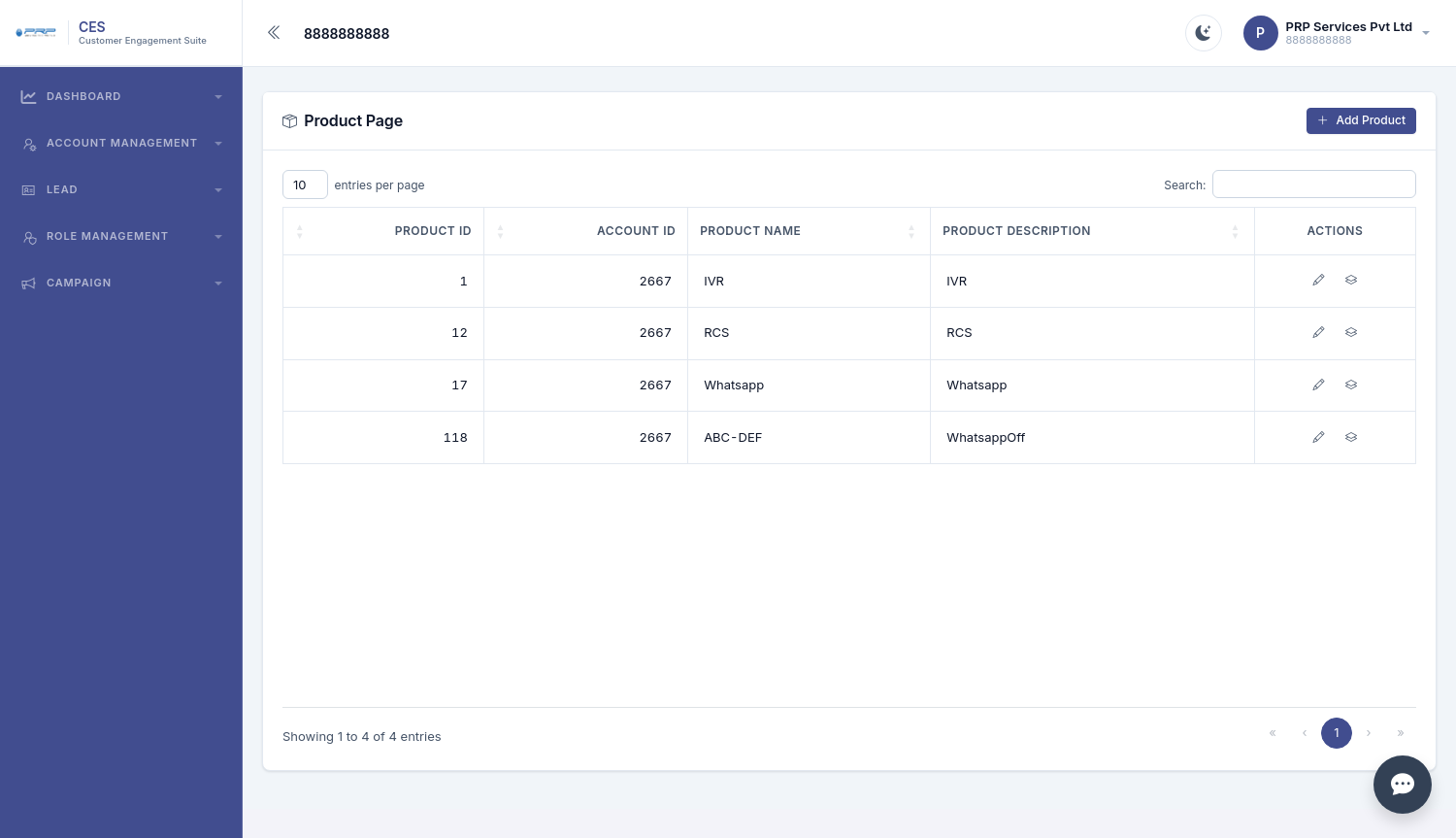
Keep your product catalogue organized
Maintain products and sub-products with descriptions, rates and GST information that can be used in leads and invoices.
- Product and sub-product structure
- Description and rate
- GST details
- Use products directly in sales workflows
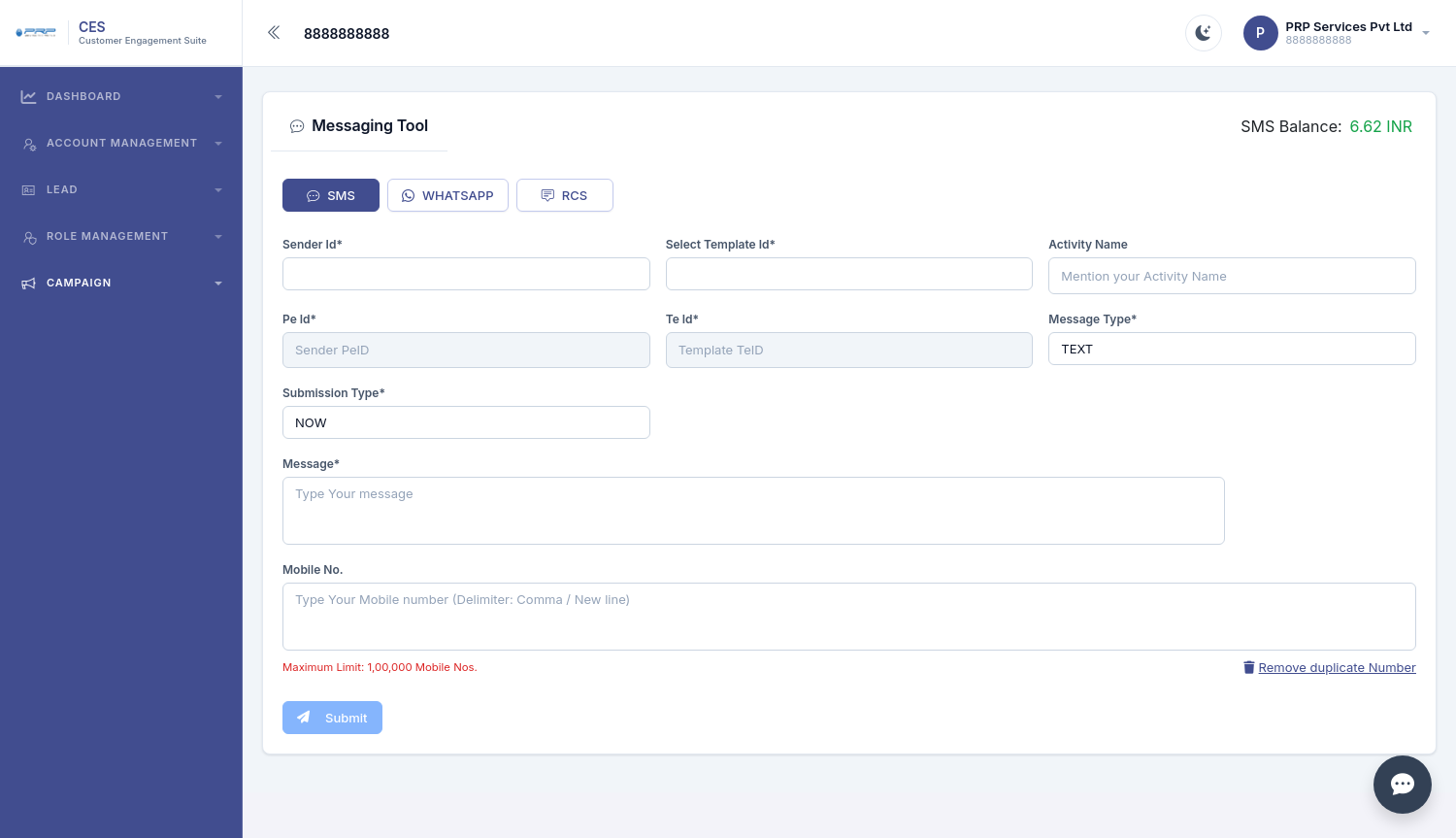
Run WhatsApp, SMS and RCS campaigns
Manage customer communication campaigns from one messaging workspace and schedule communication when needed.
- WhatsApp approved templates
- SMS sender and DLT-related fields
- RCS campaign support
- Image and document attachments for WhatsApp
- Send now or schedule
- Duplicate number removal
- Campaign delivery reporting
- Automatic welcome messages for new leads
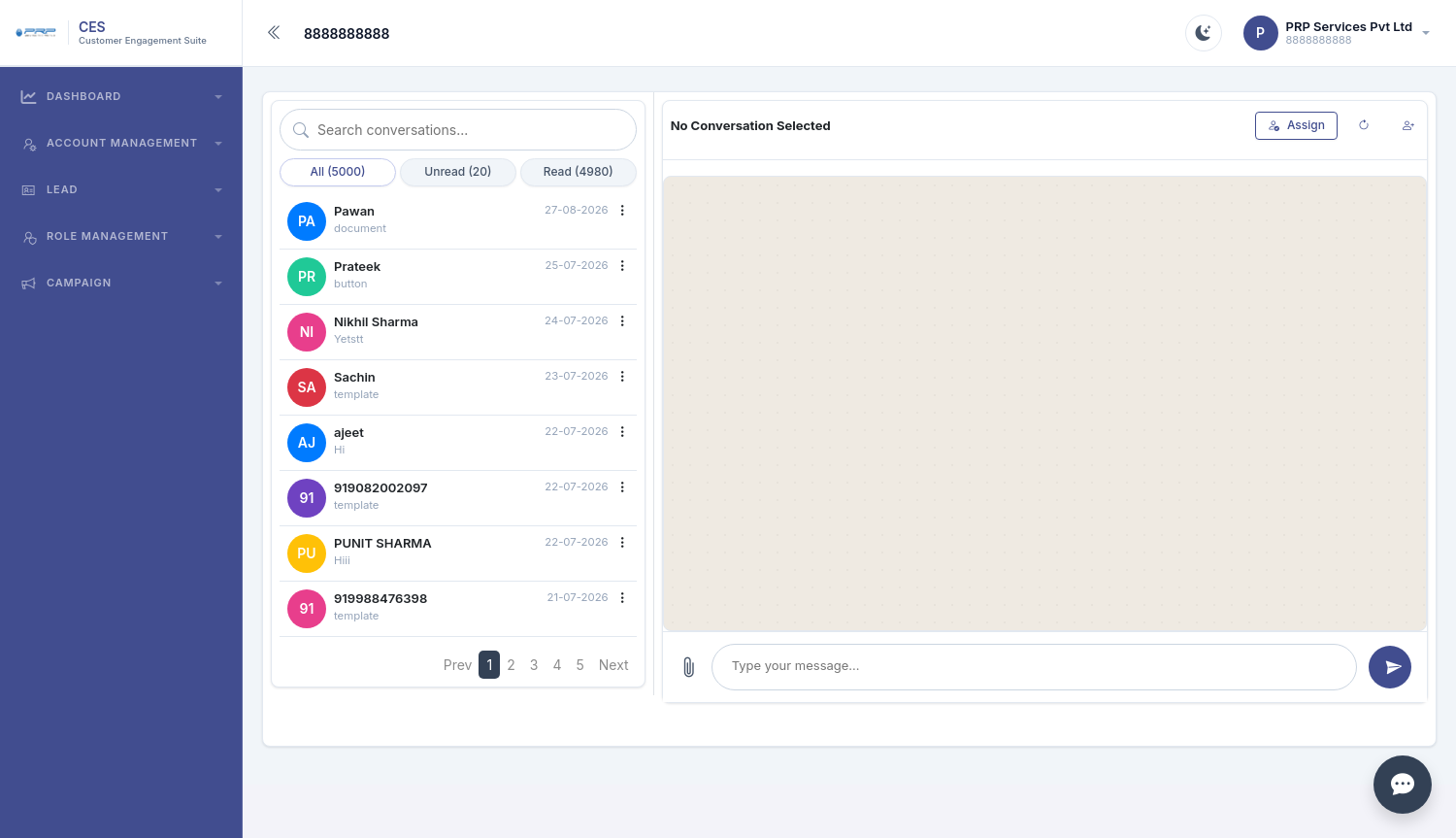
One WhatsApp inbox for the team
Bring customer replies into a shared conversation area so the team can respond, attach files and assign chats to the right agent.
- All, Unread and Read filters
- Team-accessible customer chats
- Reply and file attachment
- Assign conversations to agents
- Live incoming messages
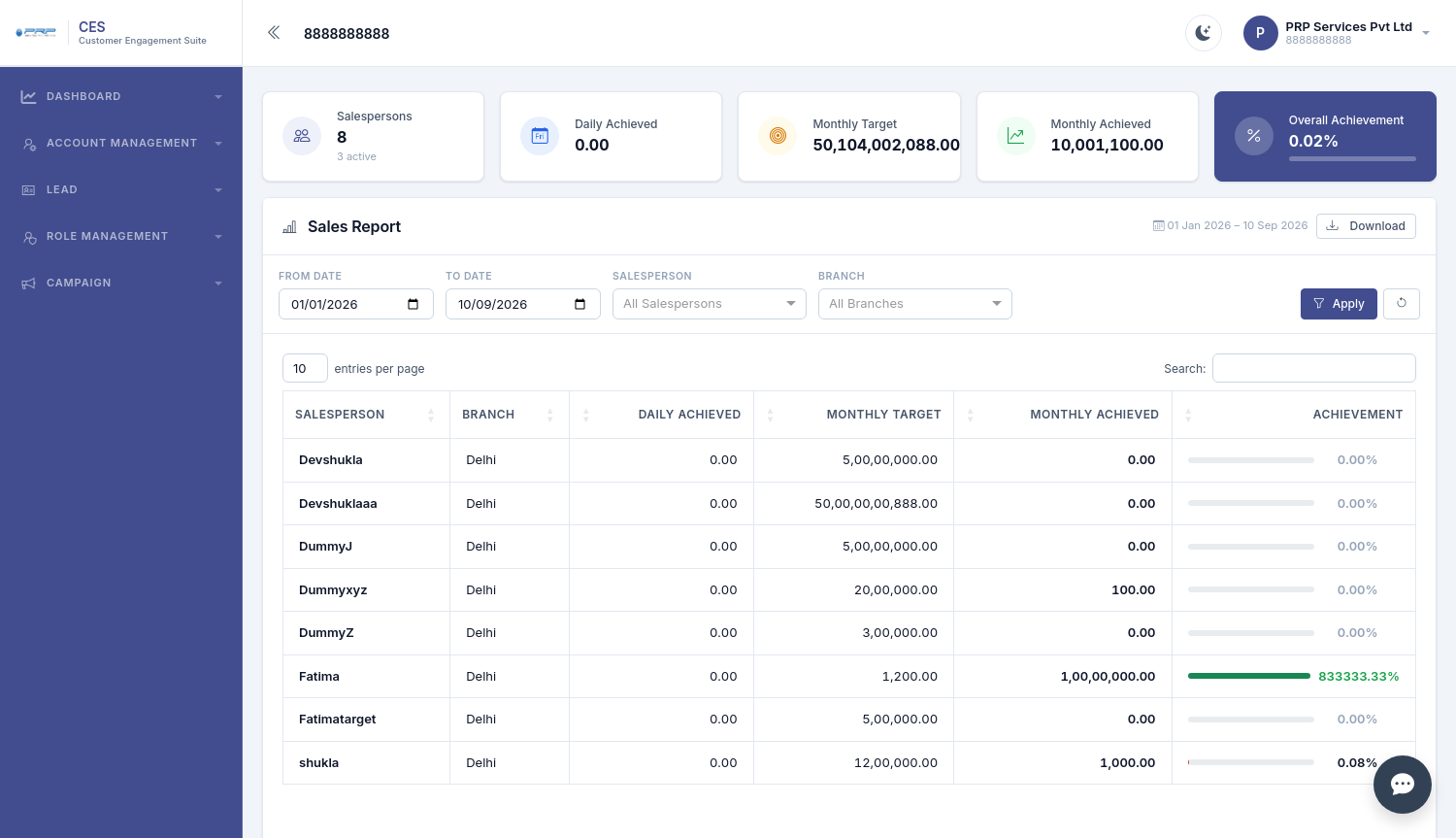
Understand sales performance
Sales reporting gives owners and managers a clearer view of targets, achievements and salesperson performance.
- Active salesperson count
- Daily and monthly achievement
- Monthly targets
- Overall achievement percentage
- Filter and download reports
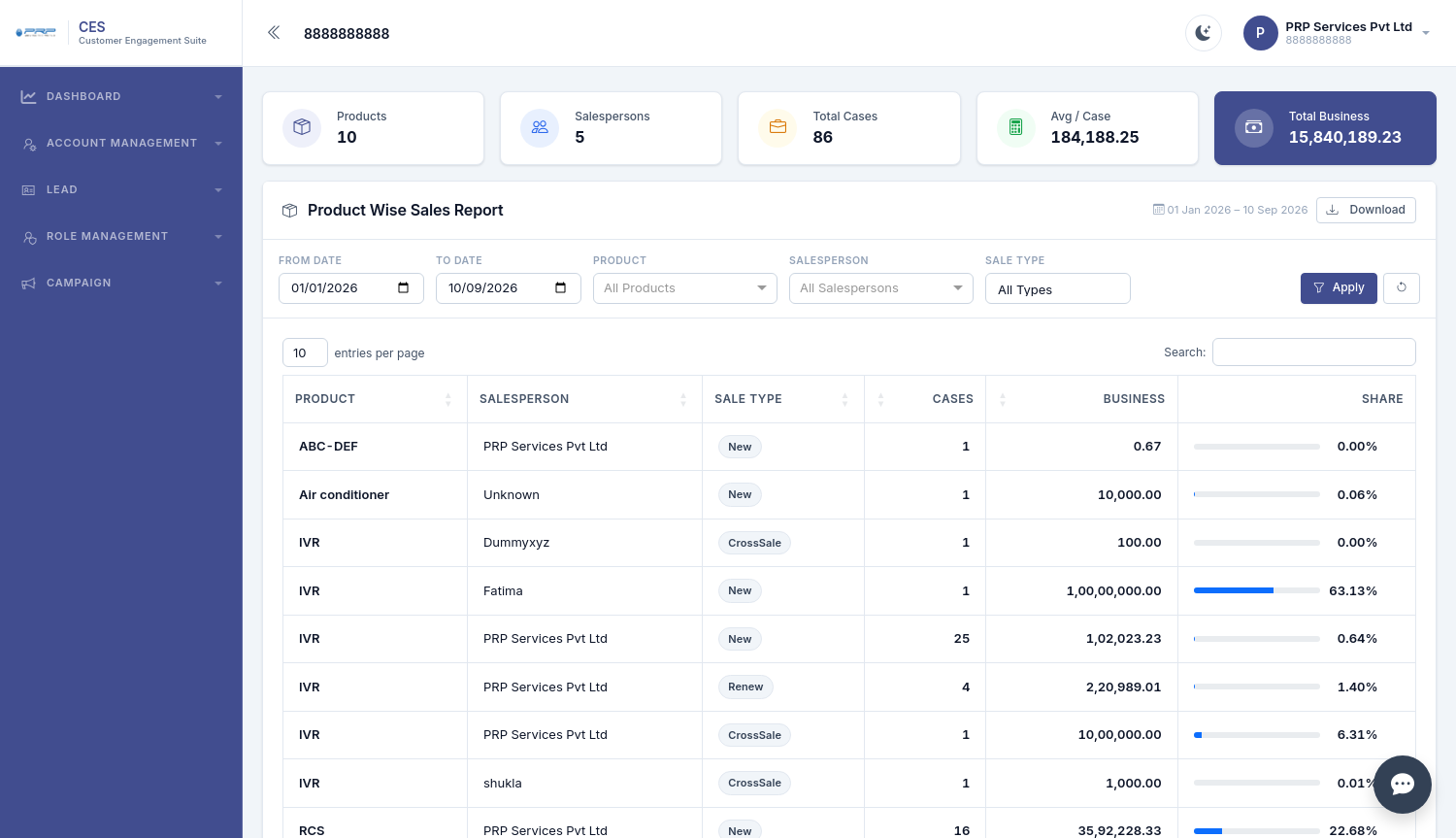
Know which products generate business
Compare product performance across salespeople and sale types to understand where business is coming from.
- Product-wise cases
- Business value
- Average per case
- New, Renew and Cross Sale views
- Share percentage
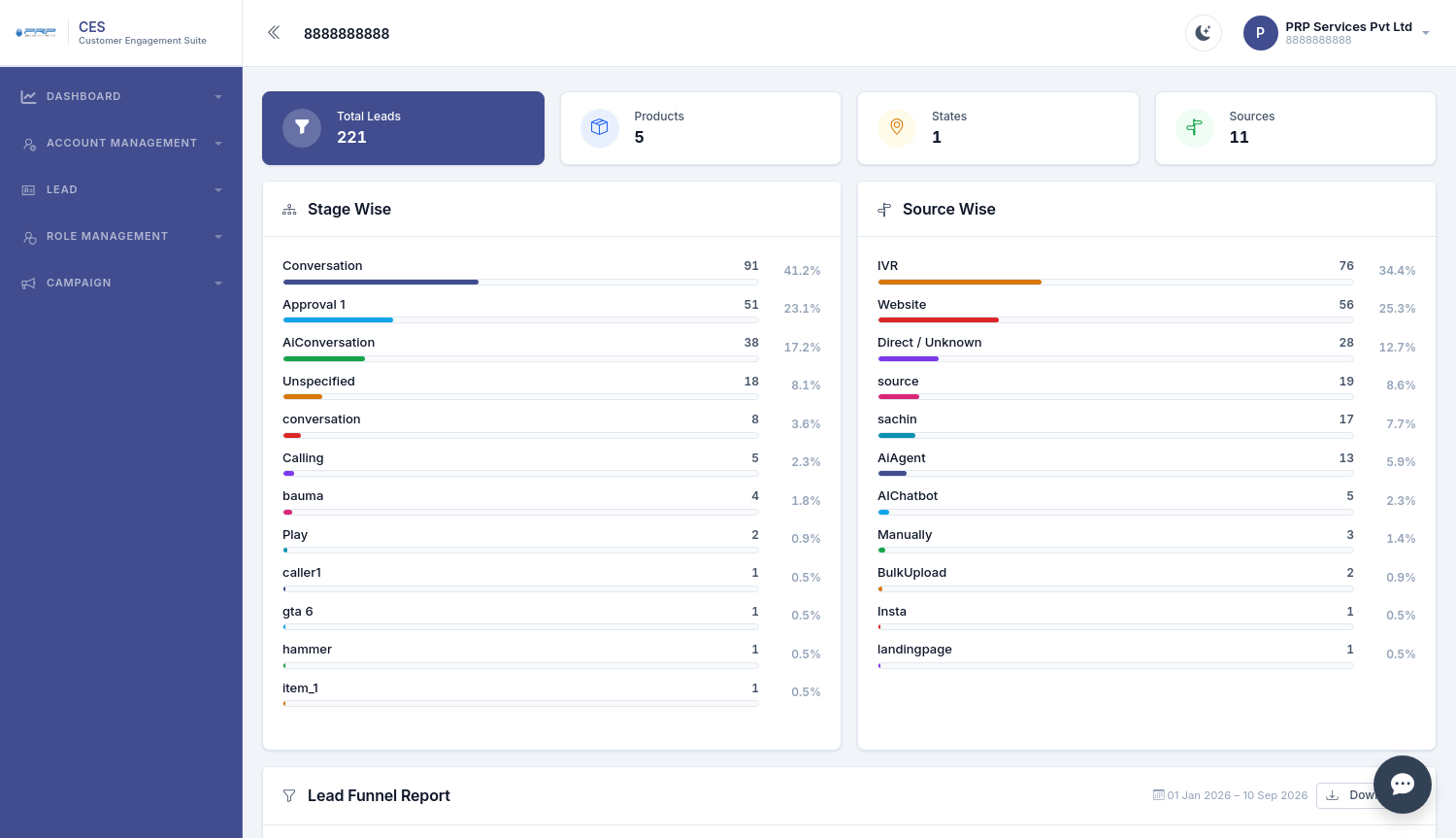
Find where leads are getting stuck
Lead Funnel reporting helps teams compare stage movement and lead sources so they can identify stronger and weaker parts of the sales process.
- Stage-wise lead distribution
- Source-wise lead distribution
- Quick visibility into pipeline movement
- Downloadable reports
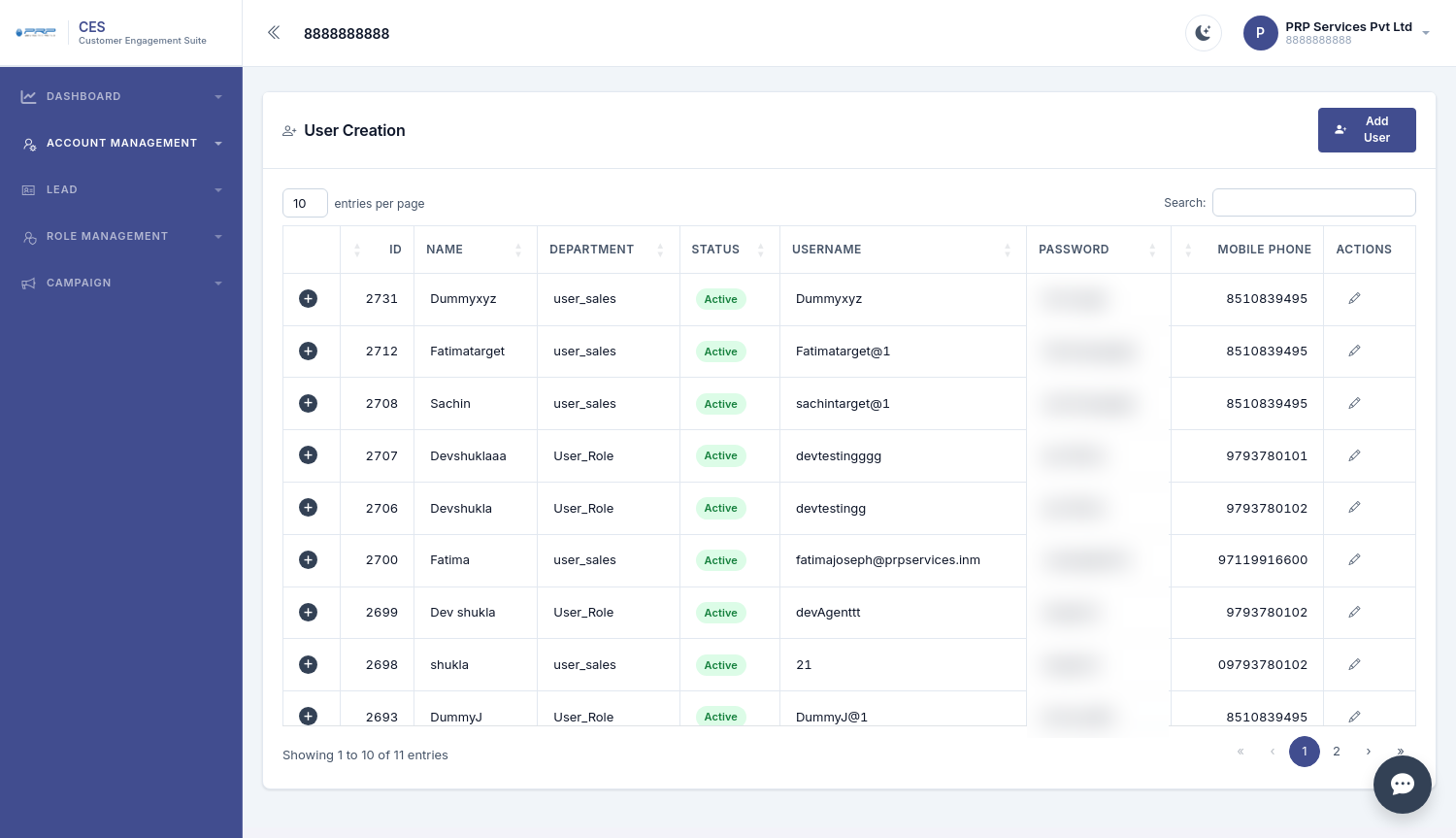
Organize your sales team
Create individual users and structure the team hierarchy according to how your business operates.
- Department and role assignment
- Active or inactive status
- Individual usernames
- User hierarchy
- Salesperson-specific lead access
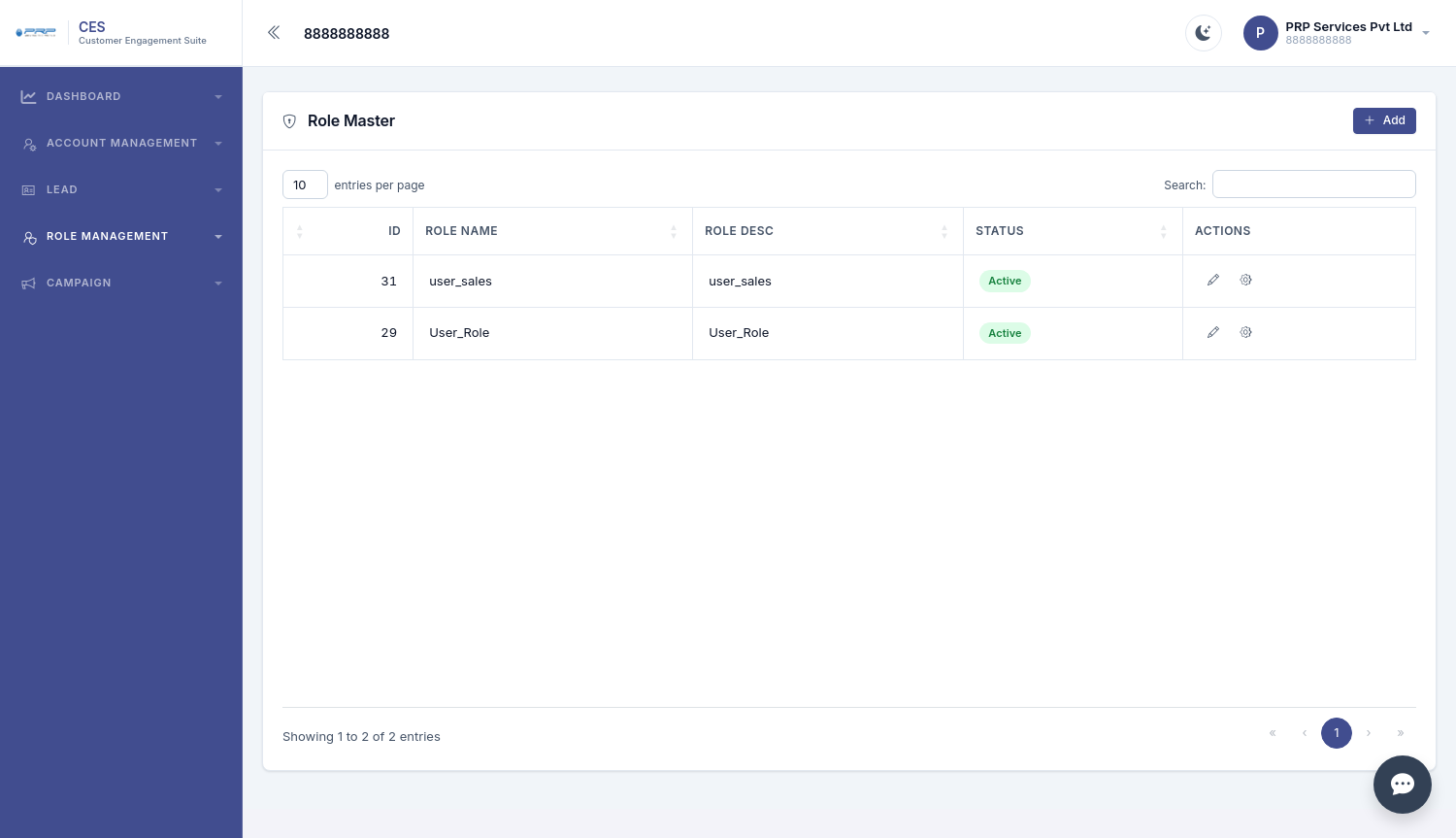
Control what each role can access
Role-based permissions help businesses decide which parts of CES different team members can view or use.
- Create custom roles
- Set page-level permissions
- Separate sales and finance access
- Keep sensitive modules restricted when required
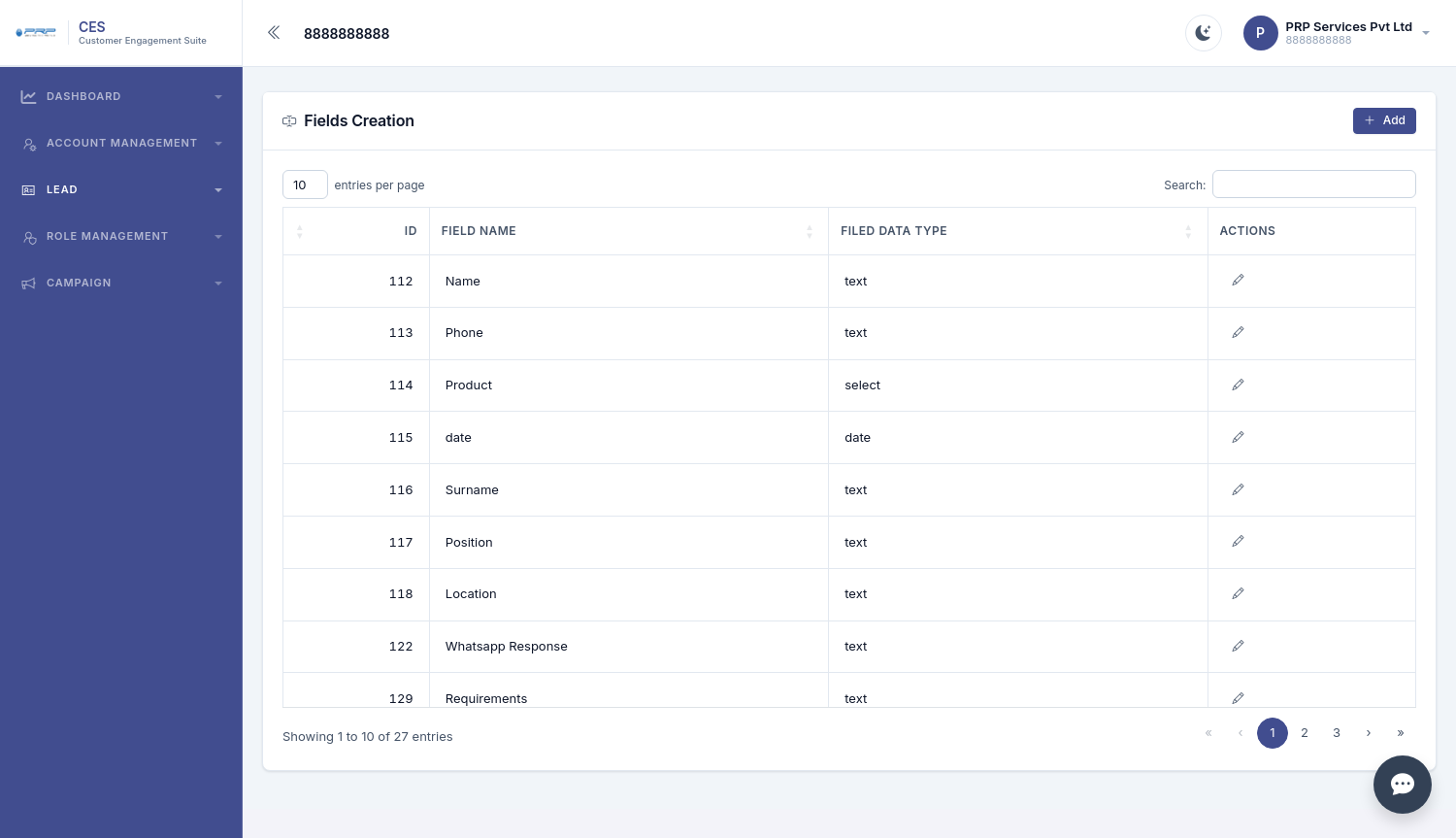
Adapt CES to your business
Different businesses collect different information. Custom fields allow teams to capture the details that matter to their workflow.
- Text fields
- Select fields
- Date fields
- Business-specific information such as location, requirements and position
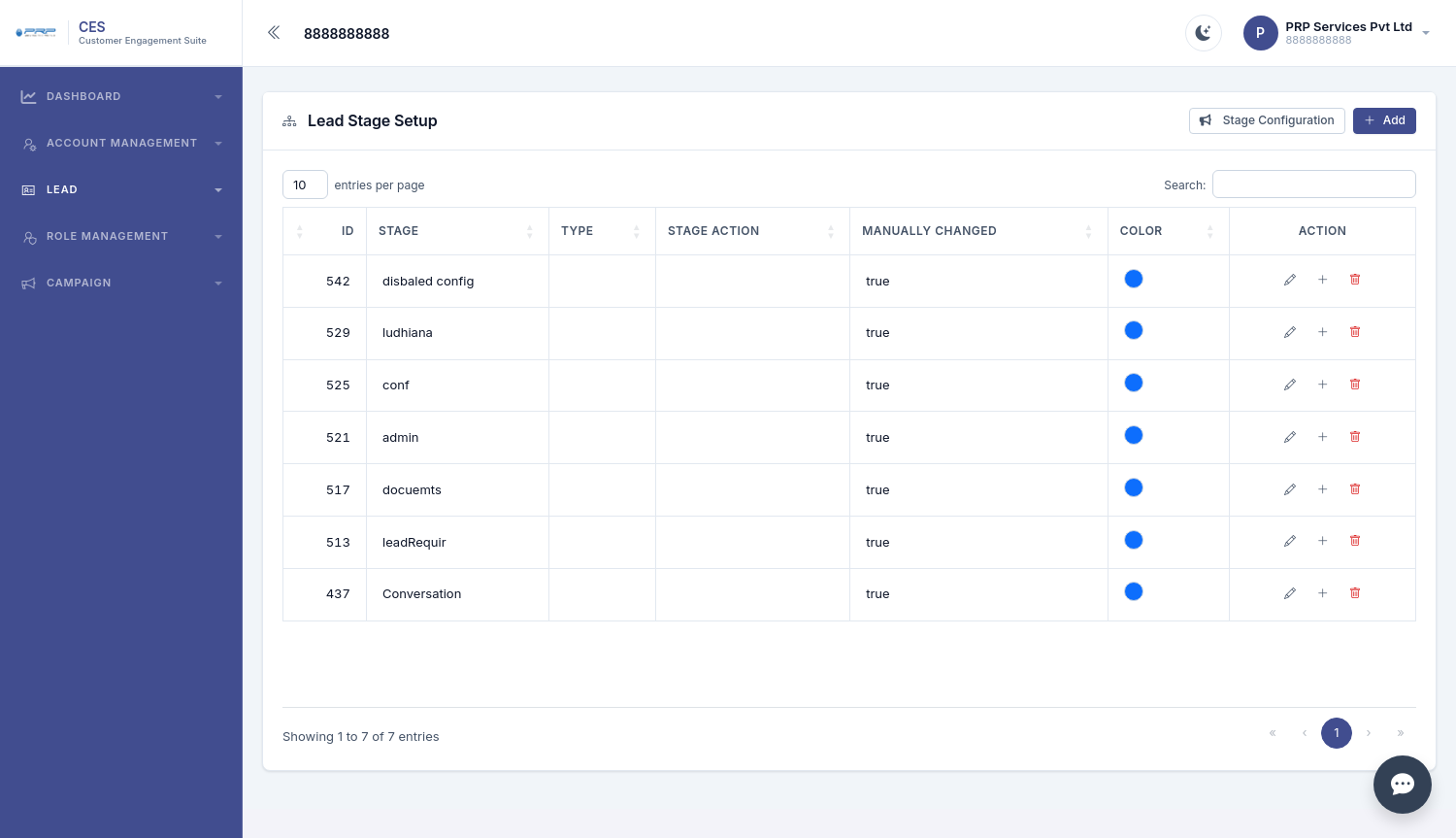
Build your own sales pipeline
Configure stages and sub-stages around your sales process instead of forcing the team into a fixed pipeline.
- Custom stage names
- Stage type and actions
- Stage configuration
- Sub-stages
- Pipeline designed around the business
How CES fits into a salesperson's day
From a new enquiry to a completed sale, the workflow keeps the next action visible.
New lead
Lead arrives and the salesperson gets the relevant customer information.
Follow-up
Call, add notes, update stage and create a reminder for the next action.
Customer
Convert the lead into a customer without repeatedly entering basic details.
Invoice
Create the invoice using customer and product information.
Report
Owners can review funnel and sales performance to guide decisions.
Who can use CES?
CES is suitable for businesses where leads, customer follow-ups and ongoing communication are an important part of daily operations.
Real Estate
Manage property enquiries, salesperson follow-ups and customer conversion.
Coaching & Education
Track admission enquiries, sources, follow-ups and communication.
IT & Agencies
Keep client history and sales activity centralized for the team.
Insurance & Finance
Manage customer information, renewals, payments and follow-ups.
Clinics, Gyms & Salons
Organize customer records and communication campaigns.
B2B & Distributors
Track products, salespeople, customers and product-wise performance.
Frequently asked questions
Is CES an accounting software?
No. CES includes invoicing and receipt functionality, but it is not a full accounting system such as Tally.
Can CES work on mobile?
The product guide states that CES is mobile-friendly through a browser and also has an Android app.
Does CES support WhatsApp?
Yes. WhatsApp campaigns and a shared Conversations inbox are included. A business WhatsApp Business API number is required.
Can businesses customize lead stages?
Yes. CES supports custom stages, sub-stages and stage configuration.
Can we upload existing leads?
Yes. The product guide includes bulk Excel upload and an error file for rows that could not be uploaded.
Can access be restricted by role?
Yes. Users and roles can be configured with different permissions for different modules.
Bring your customer journey into one system.
Explore CES for lead management, customer engagement, communication, invoicing, reporting and team management.
Explore CES